What Are the 5 Essential Tools for Team Productivity Beyond Scheduling?
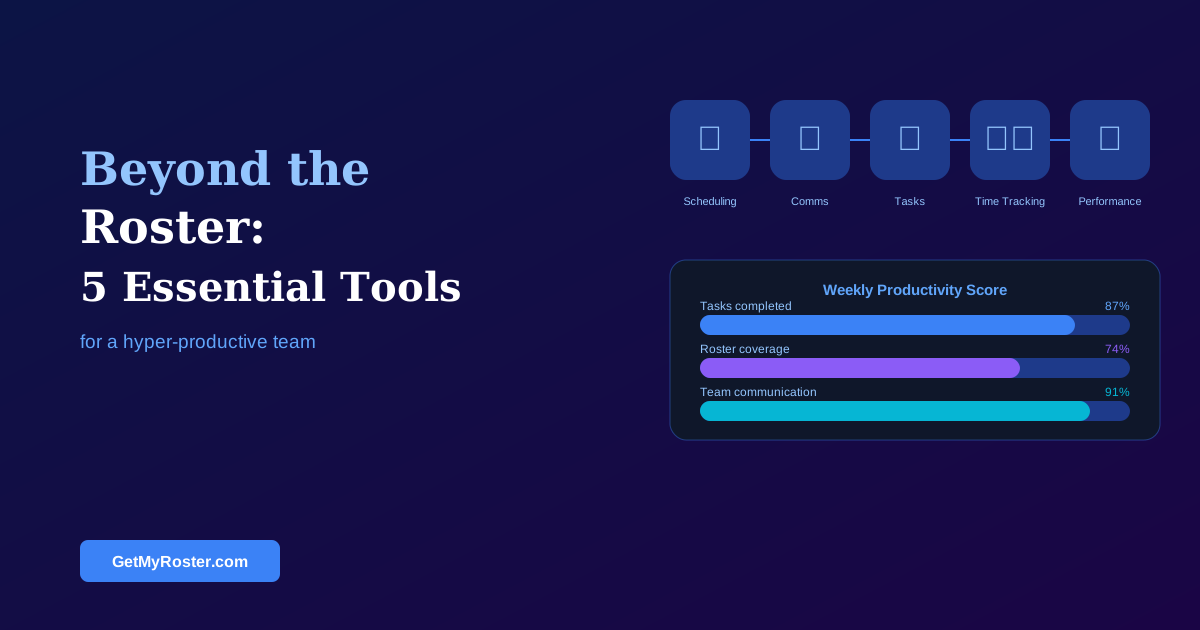
The five tools that most improve team productivity beyond the roster are: a dedicated team communication platform (separate from personal messaging apps), a digital task or checklist tool for operational handovers, integrated time tracking with payroll, a structured onboarding and training system, and a performance feedback loop. Together these create a cohesive operational infrastructure that a scheduling app alone cannot provide.
A great roster gets the right people in the right place at the right time. What happens after that — how tasks are handed over between shifts, how new staff are trained, how operational issues are communicated — determines whether those hours are productive. These five tools address the gaps that most shift-based businesses have never systematically filled.
Tool 1: Dedicated Team Communication Platform
Most shift-based businesses still rely on a personal messaging app (WhatsApp, Facebook Messenger) for team communication. This creates structural problems: work messages are mixed with personal content, managers have no visibility of whether operational communications have been read, and the expectation of 24/7 responsiveness that comes with personal messaging apps is at odds with the right-to-disconnect. A dedicated team communication platform — with separate channels for different topics, read receipts for critical operational messages, and a clear switch-off time — is the single most impactful tool on this list for most businesses.
Tool 2: Digital Task and Handover Checklist
Shift handovers are one of the most common failure points in operational businesses. Information that the outgoing shift knew doesn't make it to the incoming shift, tasks that were left incomplete are not flagged, and the next shift repeats work that had already been done. A digital checklist or task tool — even a simple shared one — creates an auditable record of what was done, what was left, and what the next shift needs to know. Integrations with your scheduling software that surface handover notes when a shift begins are increasingly common. For the scheduling foundation this builds on, see our Staff Rostering 101 guide.
Tool 3: Time Tracking Integrated with Payroll
Manual timesheet entry is a productivity drain on managers and a source of payroll errors. Integrated time tracking — where staff clock in and out through the same platform as their roster — eliminates both problems. Hours flow from clock-out to payroll review without manual re-entry, and discrepancies between rostered and actual hours are flagged automatically. This isn't just a productivity gain; it's a compliance record that satisfies Fair Work requirements and protects against underpayment liability.
Tool 4: Structured Onboarding and Training System
New staff perform at a fraction of their capability for weeks or months when onboarding is informal. A structured onboarding system — even a simple checklist with assigned modules, training completion tracking, and a sign-off record — dramatically reduces time-to-productivity for new team members and ensures consistent training across sites and shifts. This is particularly important in multi-location businesses where training quality can vary significantly between sites.
Tool 5: Performance Feedback Loop
Shift-based employees often receive feedback only when something goes wrong. A lightweight, structured feedback mechanism — brief check-in conversations on a regular schedule, combined with a record of positive recognition — builds a team culture where performance is discussed before it becomes a formal issue. Scheduling software that flags absence patterns, late arrivals, or coverage issues provides useful data to inform these conversations. For using data to improve your overall operations, see our 7 data-driven steps to optimise schedules.
Frequently Asked Questions
What tools complement a scheduling app for team management?
The five tools that most complement scheduling software are: a team communication platform, a digital task management system, integrated time tracking for payroll, a performance and feedback tool, and an onboarding or training platform. Together these create an operational infrastructure that scheduling alone cannot provide.
Should team communication happen on personal messaging apps?
Using personal messaging apps for work creates several risks: messages get lost among personal content, management has no visibility, and there is implicit 24/7 availability pressure. A dedicated team communication tool with work-only channels avoids these problems and supports right-to-disconnect expectations.
How do I get my team to use new productivity tools?
Frame benefits from the staff perspective, run a brief live demonstration rather than sending a written guide, give staff an immediate reason to open the tool in the first week, and follow up with non-adopters individually. The same principles that make scheduling software rollouts successful apply to any new workplace tool.
What is the biggest productivity tool gap for shift-based businesses?
For most shift-based businesses, the biggest gap is a communication platform dedicated to work topics, separate from personal messaging apps. Operational communications mixed into personal group chats create noise, confusion, and an unhealthy culture of continuous connectivity.
Start with the Foundation: A Roster Your Team Can Rely On
GetMyRoster provides the scheduling foundation that all five productivity tools build on — reliable roster publishing, integrated time tracking, and team communication built into the same platform.
Start Free Trial