Free Rostering Software for Australian Small Teams
Get My Roster is free for up to 5 users at one location, with the iPhone and Android apps included. It isn't a trial: the free plan has no end date and doesn't ask for a credit card.
Register for free See all plans


What the free plan includes
Here is the free Basic plan next to Premium, feature by feature, with nothing rounded up.
| Feature | Basic (free) | Premium |
|---|---|---|
| Users | Up to 5 | No limit |
| Locations | 1 | No limit |
| Roster calendar, publishing and copying a week forward | Yes | Yes |
| iPhone and Android apps for staff | Yes | Yes |
| Email and app notifications when shifts change | Yes | Yes |
| Leave requests and approvals | Yes | Yes |
| Staff certificates with expiry dates | Yes | Yes |
| "Unable to work" with cover requests to eligible staff | Yes | Yes |
| Staff availability from the app | No | Yes |
| Open shift broadcasts and fill suggestions | No | Yes |
| GPS clock in and out (Employee TimeTracker) | No | Yes |
| Timesheet and shift reports with Excel export | No | Yes |
Payroll integration, with timesheets sent to Xero Payroll or exported as a CSV for MYOB and QuickBooks, is on Premium Plus. The full list is on the pricing page.
Who the free plan suits
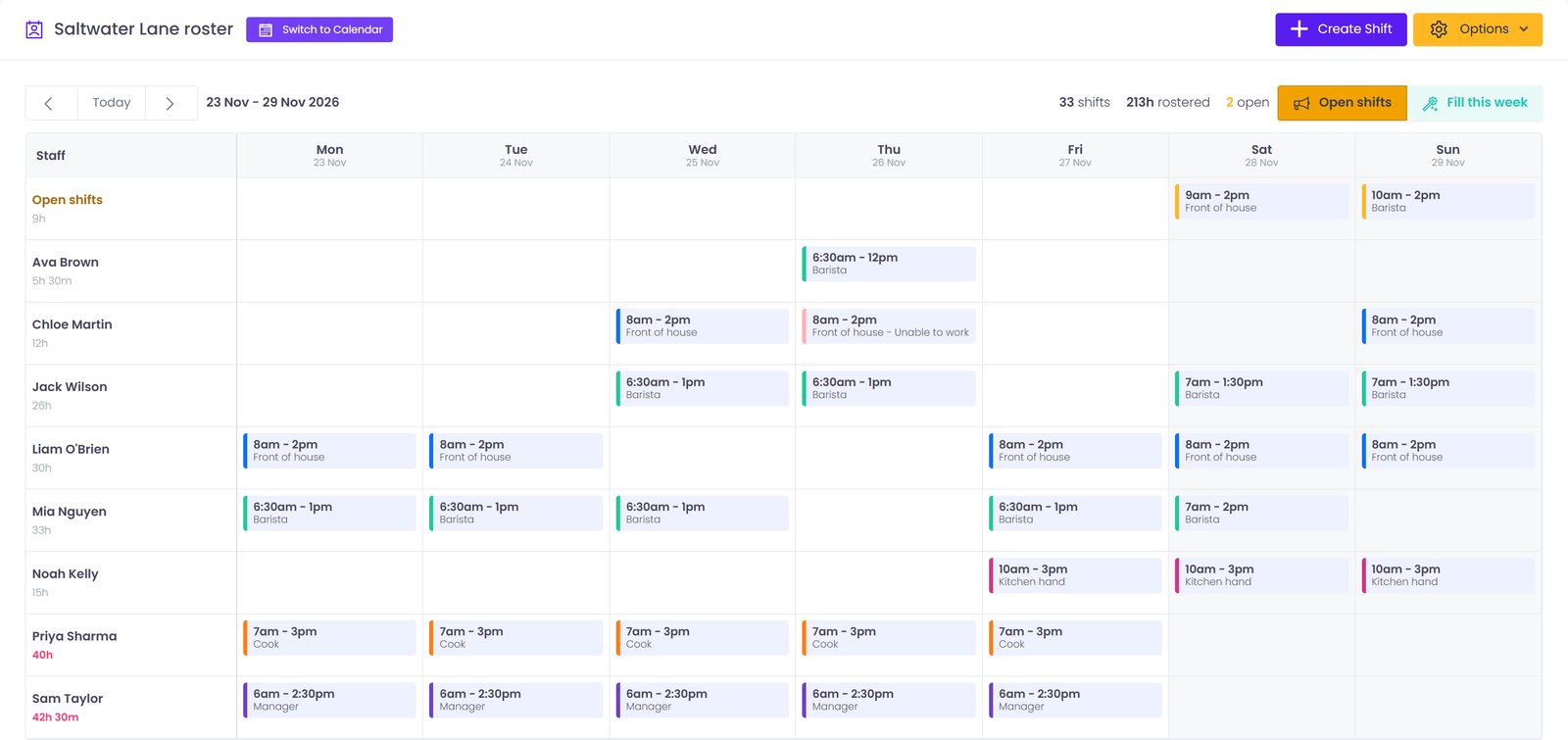
Five users means you plus four staff, because the account owner counts as one of the five. That covers more businesses than it sounds like: an owner-run cafe with a cook and three casuals, a cleaning business with four cleaners, a small shop with two part-timers and two students, or a home care operator with four carers.
For a team that size, the problem usually isn't building the roster. It's everything after: the photo of the whiteboard in the group chat, the casual who didn't see the change, the sick call at 6am. The free plan handles exactly that. Staff see their shifts on their own phone and get a notification when one changes. When someone can't make a shift, they tap "unable to work" and you get an email while the rest of the team is asked to cover. Leave requests come in through the app instead of by text, and every first aid certificate, RSA or police check sits in one list with its expiry date.
Two honest limits. The free plan records certificate expiry dates but doesn't send reminders, so someone still has to check the list. And it doesn't calculate award pay; award costing is still in development, so rates and penalties stay with your payroll system.
When you'll outgrow it
Most teams move to Premium for one of five reasons: a sixth person, a second location, needing clock-in records for timesheets, wanting staff to set their own availability, or wanting to broadcast open shifts to the whole team at once.
Premium is 1 USD per user per month on a yearly subscription, or 2 USD per user per month billed monthly. A team of 10 on the yearly plan is 10 USD a month, or 120 USD a year. Prices are in US dollars, so convert at the current rate before comparing with anything priced in Australian dollars. New accounts get a 7-day free trial of every Premium feature, and every paid plan has a 14-day money-back guarantee.
What to check in any free rostering software
"Free" means different things from one rostering tool to the next. Before you put your team on one, check these:
- Is it free with no end date, or a trial? A 14-day trial is a demo, not a free plan.
- Who counts towards the limit? Some tools count only staff; others, like this one, count the owner too.
- Do staff get the app free? If staff can't see the roster on their phone, you'll still be posting it in a group chat.
- Are notifications included? A roster nobody is told about is just a spreadsheet in a different place.
- What's held back for paid plans? Clock-in, availability and extra locations are the usual ones. Make sure the free plan covers what you need now.
- What happens at the limit? Here, you can't add a sixth user until you upgrade, but nothing you've built stops working.
For the longer version, with how to set up a free roster in an afternoon, read our guide to free rostering software in Australia.
Free tools that need no account
Not ready to sign up? Download a free roster template for Excel or Google Sheets, including cafe, OSHC, childcare and home care versions, or build a week in the online roster maker, which runs in your browser and prints the result.
Free rostering software: frequently asked questions
Is Get My Roster really free?
Yes. The Basic plan is free for up to 5 users at one location, with no end date and no credit card. It includes the web dashboard, the iPhone and Android apps, notifications, leave requests and staff certificate records.
How many staff can I have on the free plan?
Up to 5 users at one location. The account owner counts as one of the five, so the free plan suits an owner or manager with up to four staff.
Do my staff have to pay for the app?
No. The Get My Roster apps for iPhone and Android are free to download, and staff on the free plan use them at no cost.
What happens when I add a sixth person?
The free plan stops you adding a sixth user and asks you to upgrade. The roster and the staff you already have keep working. Premium removes the limit.
Can I try the paid features before paying?
Yes. New accounts get a 7-day free trial of every Premium feature with no credit card. When the trial ends, the paid features switch off unless you upgrade, and every paid plan has a 14-day money-back guarantee.
Is the price in Australian dollars?
No. Get My Roster prices are in US dollars. Premium is 1 USD per user per month on a yearly subscription or 2 USD per user per month billed monthly, so convert at the current exchange rate before comparing with prices in Australian dollars.