🎯 Quick Answer
Time clock software for small businesses tracks employee work hours digitally, replacing punch cards or manual timesheets. Key features include GPS verification (prevents buddy punching), mobile apps (clock in from job sites), automatic break tracking, overtime alerts, and payroll integration. For businesses with 10+ employees, time clock software typically saves $3,000-8,000 annually by eliminating time theft (average 4.5 hours per week per employee) and reducing payroll processing time by 75%. GetMyRoster's time clock includes GPS verification, photo capture, and payroll exports for just $1 per employee per month.
Every week, a small business owner somewhere discovers they've been paying employees for time they didn't actually work. An employee clocks in 15 minutes early every shift. A coworker "helps out" by punching in for someone running late. Break times stretch from 15 minutes to 25. These small leaks add up—costing the average small business with 15 employees over $6,000 annually in time theft alone.
Manual timesheets and traditional punch cards make these problems worse. They're easy to manipulate, time-consuming to process, and prone to errors that create payroll disputes and compliance headaches. The good news? Modern time clock software solves all these problems while paying for itself many times over.
This guide shows you exactly what time clock software does, which features matter most for small businesses, and how to calculate your ROI before spending a dollar. Whether you manage a restaurant, retail store, construction company, or service business, you'll learn how GPS-verified time tracking can eliminate time theft and streamline payroll in one simple solution.
What Is Time Clock Software and Why Small Businesses Need It
Time clock software is a digital system that tracks when employees start and end work, including breaks and overtime. Instead of punch cards, paper timesheets, or honor-system reporting, employees use mobile apps, web browsers, or physical terminals to clock in and out. The system automatically records exact times, calculates hours worked, and exports data to your payroll system.
Traditional vs. Digital Time Tracking
Traditional Methods (Punch Cards, Paper Timesheets):
- Easy to manipulate (buddy punching, rounded times)
- Require manual calculation and data entry
- No GPS verification of location
- Prone to lost or damaged records
- Time-consuming to process for payroll
- Difficult to track overtime in real-time
Modern Time Clock Software:
- GPS verification confirms physical location
- Automatic time calculation (no math errors)
- Photo capture prevents buddy punching
- Cloud storage with audit trails
- One-click export to payroll systems
- Real-time overtime alerts
Why Small Businesses Specifically Need Digital Time Clocks
Large enterprises have HR departments to manage time tracking. Small businesses need automation because:
- Owner/manager time is precious: Spending 5 hours monthly on timesheets = $480 in opportunity cost (at $96/hour value)
- Every dollar counts: 4-8% payroll leakage from time theft significantly impacts tight margins
- Compliance matters: Wage and hour violations carry heavy penalties, even for small businesses
- Staff mobility: Many small businesses have field workers, multi-location teams, or remote employees who can't use a physical time clock
- Growth planning: Manual systems break down as you scale from 5 to 15 to 50 employees
The shift to digital time tracking isn't about distrust—it's about accuracy, efficiency, and fairness. Employees appreciate knowing they're paid for exactly the hours worked, and managers appreciate having complete visibility into labor costs in real-time.
The Hidden Cost of Manual Time Tracking
Before investing in time clock software, let's calculate what manual time tracking actually costs your business. The numbers might surprise you.
Time Theft: The $11 Billion Problem
According to the American Payroll Association, time theft affects 75% of businesses and costs employers an estimated $11 billion annually. The average employee steals 4.5 hours per week through various methods:
- Early clock-ins: Arriving 5-10 minutes early and clocking in immediately (25-50 minutes per week)
- Late clock-outs: Clocking out after leaving or during closing prep (20-40 minutes per week)
- Extended breaks: 15-minute breaks stretching to 20-25 minutes (25-50 minutes per week)
- Buddy punching: Coworkers clocking in for late/absent employees (0-120 minutes per week depending on culture)
- Time rounding: Rounding 7:52 start time to 7:30 on manual timesheets (10-30 minutes per week)
đź’° Time Theft Cost Calculator
Scenario: Restaurant with 15 employees, $18/hour average wage
Time theft: 4.5 hours per employee per week (industry average)
Weekly cost: 15 employees Ă— 4.5 hours Ă— $18 = $1,215
Annual cost: $1,215 Ă— 52 weeks = $63,180
With time clock software eliminating 90% of time theft:
Savings: $63,180 Ă— 90% = $56,862 per year
Payroll Processing Time Waste
Manual timesheet processing consumes manager time every pay period:
- Collecting timesheets from all employees: 30-45 minutes
- Reviewing for errors and illegible entries: 45-60 minutes
- Calculating hours and overtime manually: 60-90 minutes
- Entering data into payroll system: 45-60 minutes
- Resolving disputes and corrections: 30-60 minutes
Total time per pay period: 3.5-5 hours (bi-weekly) = 7-10 hours monthly
For a manager worth $48/hour, that's $336-480 monthly ($4,032-5,760 annually) spent on administrative work that time clock software automates.
Error Rates and Correction Costs
Manual time tracking introduces errors at multiple points:
- Illegible handwriting: Misreading 7 as 1, or 3 as 8
- Math mistakes: Incorrectly calculating 9:47 AM to 5:23 PM
- Data entry errors: Typing 38 hours instead of 83 hours
- Forgotten clock-outs: Employees leave without recording end time
- Lost timesheets: Paper records misplaced or damaged
Industry research shows manual payroll has error rates of 1-8%, with corrections costing $50-200 per incident when you factor in manager time, employee disputes, and potential penalties for underpayment.
| Cost Category | Manual Tracking (Annual) | Time Clock Software (Annual) | Savings |
|---|---|---|---|
| Time Theft (15 employees) | $63,180 | $6,318 (90% reduction) | $56,862 |
| Payroll Processing Time | $4,800 (10 hrs/month Ă— $40/hr) | $960 (2 hrs/month Ă— $40/hr) | $3,840 |
| Error Corrections | $1,800 (18 errors Ă— $100 avg) | $300 (3 errors Ă— $100 avg) | $1,500 |
| Software Cost (15 users) | $0 | $180 ($1/user/month) | -$180 |
| Total Annual Cost | $69,780 | $7,758 | $62,022 |
ROI: For this 15-employee business, time clock software saves $62,022 annually on a $180 investment—a staggering 34,456% return.
Essential Features for Small Business Time Clocks
Not all time clock software is created equal. Small businesses need specific features that deliver maximum value without enterprise complexity. Here are the non-negotiables:
1. GPS Verification
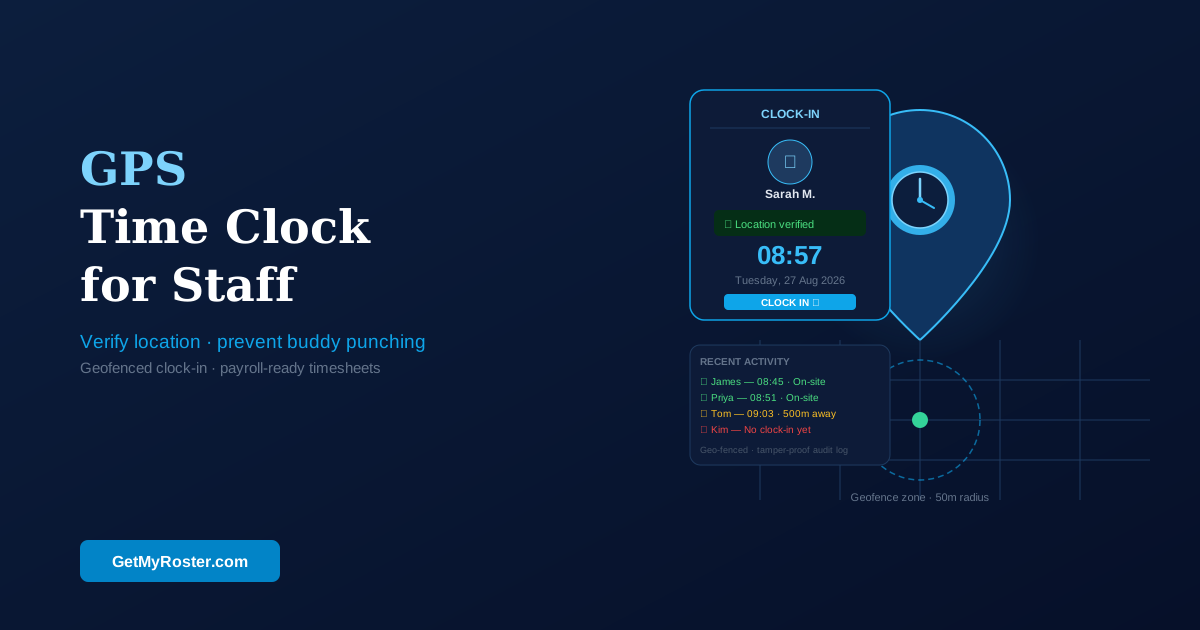
This is the single most important feature for preventing time theft. GPS verification checks the employee's phone location when they clock in and only allows the action if they're physically at your business location (within a set radius, typically 100-500 meters).
Why it matters: Eliminates employees clocking in from home, during the commute, or clocking in coworkers who are running late. Studies show GPS verification alone reduces time theft by 80-90%.
What to look for: Adjustable radius settings (you set how close employees must be), works on both iOS and Android, functions even with weak GPS signal, logs GPS coordinates for audit purposes.
2. Mobile Accessibility
Your employees need to clock in from wherever they work—job sites, store locations, offices, or remote locations. Mobile apps make this possible.
Why it matters: Construction crews can clock in at each job site. Cleaning staff can clock in at client locations. Retail employees can clock in at multiple store locations. Remote workers can clock in from home offices.
What to look for: Native iOS and Android apps (not just mobile web), offline mode that syncs when reconnected, push notifications for missed clock-ins, easy-to-use interface (employees will actually use it).
GetMyRoster Mobile Time Clock
GetMyRoster's mobile app includes GPS verification with adjustable radius (100-1000 meters), works offline and syncs automatically, optional photo capture at clock-in, push notifications for missed punches, and one-tap clock in/out. Employees love the simplicity—open app, tap one button, done. Managers love the GPS verification—no more buddy punching or early clock-ins from the parking lot.
3. Photo Verification
Some businesses add an extra layer of security with photo capture at clock-in. The system takes a photo using the phone's camera and attaches it to the time record.
Why it matters: Confirms that the right person is clocking in (not a coworker using their phone). Creates visual record for dispute resolution. Particularly valuable for high-security environments or when employee identity verification is critical.
What to look for: Optional feature (not mandatory for all employees), automatic photo at clock-in, photos stored securely with time records, privacy controls (photos only visible to managers).
4. Overtime Alerts
Real-time notifications when employees approach or exceed overtime thresholds prevent surprise payroll costs.
Why it matters: Catch overtime before it happens, not after. Send employees home before they hit 40 hours. Redistribute work to avoid unnecessary premium pay. Comply with wage and hour laws that require overtime payment.
What to look for: Customizable thresholds (alert at 35 hours, 38 hours, 40 hours), daily and weekly overtime tracking, manager notifications via app and email, historical overtime reports.
5. Break Tracking and Compliance
Many jurisdictions require specific break periods based on shift length. Time clock software should track breaks automatically and ensure compliance.
Why it matters: Avoid wage and hour violations (penalties range from $1,000-50,000). Ensure employees take legally required breaks. Track paid vs unpaid break time accurately. Prove compliance if audited.
What to look for: Clock in/out for breaks, automatic break reminders based on shift length, paid vs unpaid break designation, compliance rules configurable by region (US, Australia, UK, etc.).
6. Payroll Integration
The best time clock software exports data directly to your existing payroll system—no manual entry required.
Why it matters: Eliminate manual data entry (saves 4-6 hours per pay period). Prevent transcription errors. Apply correct pay rates automatically. Include break deductions without calculations.
What to look for: Direct integration with your payroll provider (Xero, MYOB, QuickBooks, ADP, Paychex), one-click export, automatic format matching, historical export for corrections.
GetMyRoster integrates seamlessly with Xero, MYOB, and QuickBooks. Time and attendance data exports with one click in the exact format your payroll system expects, complete with employee IDs, hours worked, overtime hours, and pay codes. What used to take hours now takes 30 seconds.
7. Offline Mode
Internet connectivity isn't always reliable—especially on construction sites, in basements, or rural locations. Offline mode ensures employees can still clock in and out.
Why it matters: Never lose time records due to connectivity issues. Employees can clock in even with weak or no signal. Data syncs automatically when connection restored.
What to look for: Full offline functionality (not just cached data), automatic sync when reconnected, conflict resolution if same employee clocks in on multiple devices, clear indication when in offline mode.
GPS Time Clock: Preventing Buddy Punching and Location Fraud
Let's dive deeper into GPS verification—the feature that delivers the biggest immediate ROI for small businesses.
What Is Buddy Punching?
Buddy punching occurs when one employee clocks in or out for another employee who isn't actually present. Common scenarios:
- Employee A is running 15 minutes late, texts Employee B to "punch me in"
- Employee leaves early but asks coworker to clock them out at shift end time
- Employee calls in sick but friend clocks them in to preserve sick days
The American Payroll Association estimates buddy punching costs employers an average of 2.2% of gross payroll. For a small business with $500,000 annual payroll, that's $11,000 per year.
How GPS Verification Stops Buddy Punching
GPS-enabled time clocks use the employee's smartphone location services to verify they're physically at the work location when clocking in. The process:
- Employee opens time clock app and taps "Clock In"
- App checks phone's GPS coordinates
- System compares coordinates to business address(es)
- If within allowed radius: Clock-in accepted and GPS coordinates logged
- If outside radius: Clock-in rejected with message "You must be at work location to clock in"
This makes buddy punching virtually impossible—Employee B cannot clock in for Employee A because Employee B's phone will show they're at the work location, but Employee A's phone (and person) is not.
Privacy Considerations
Some employees worry about GPS tracking. Important clarifications:
- Location only checked at clock-in/clock-out: Not continuous tracking throughout the day
- No location history: System only logs the specific coordinates at punch time, not everywhere the employee goes
- Work hours only: No tracking during off-hours (app only checks location when employee initiates clock action)
- Transparent: Employees can see exactly what location data was recorded with each punch
Most employees appreciate GPS verification once they understand it prevents coworkers from stealing hours and ensures everyone is paid fairly for actual time worked.
Photo Verification: The Extra Layer
For businesses wanting maximum security, photo verification adds identity confirmation to GPS verification. When employees clock in, the system takes a selfie using their phone camera and attaches it to the time record.
Benefits:
- Confirms the right person is clocking in (not using borrowed phone)
- Creates visual audit trail for disputes
- Deters any remaining attempts at time fraud
Considerations:
- Make it optional—not all businesses need this level of verification
- Communicate clearly to employees (transparency builds trust)
- Ensure privacy—photos only visible to authorized managers
- Consider cultural sensitivities and local regulations
Mobile Time Clock Apps for Field Teams and Remote Workers
Traditional time clocks require employees to be in one physical location. Mobile apps solve time tracking for distributed workforces.
Construction and Trade Workers
Challenge: Crews work at different job sites each day. Traveling between sites. Multiple locations per day.
Solution: Mobile time clock with GPS verification creates location zones for each job site. Employees clock in when arriving at the site, clock out when leaving. GPS logs prove they were actually at the location. Managers see which crews are at which sites in real-time.
Bonus: Track labor costs per job site automatically. Know exactly how many hours were spent on the Smith renovation vs the Johnson new build.
Cleaning and Maintenance Services
Challenge: Employees work at client locations without on-site supervision. Need to verify they actually showed up and worked scheduled hours.
Solution: Create GPS zones for each client location. Employees clock in/out at each site. System provides proof of service (GPS timestamp) for client billing and quality assurance. Managers receive alerts if employee doesn't clock in at scheduled site.
Home Healthcare and Aged Care
Challenge: Caregivers visit multiple patient homes daily. Must document exact visit times for billing and compliance. No office location to use traditional time clock.
Solution: Mobile time clock creates visit records with GPS verification. Clock in at patient's home, clock out when leaving. Automatic compliance with visit duration requirements. Export data for insurance billing and regulatory reporting.
Remote and Hybrid Employees
Challenge: Employees work from home offices or flexible locations. Need to track hours without micromanagement.
Solution: Mobile or web time clock without GPS restriction (or with home address as allowed location). Employees clock in at day start, clock out at day end. System tracks total hours, breaks, and overtime. Maintains professionalism while providing necessary oversight.
Multi-Location Retail and Hospitality
Challenge: Employees may work at different store/restaurant locations on different days. Need single system across all locations.
Solution: Create GPS zones for each location. Employees automatically clock into whichever location they're physically at. Managers view consolidated reports across all locations. Labor costs tracked by location for profitability analysis.
How Time Clock Software Integrates with Payroll
The final step in the time tracking workflow is getting hours into your payroll system. Integration options range from manual export to complete automation.
Manual Export (CSV/Excel)
How it works: Export timesheet data to CSV or Excel file. Open file and copy data. Paste into payroll system or upload file.
Pros: Works with any payroll system. Simple and straightforward. Good for very small businesses (under 5 employees).
Cons: Still requires manual work. Room for copy-paste errors. Need to match employee names/IDs between systems. Time-consuming for larger teams.
Automatic Integration (Direct Sync)
How it works: Time clock software connects directly to payroll system via API. Click "Export to Payroll" button. Data flows automatically with correct formatting, employee matching, and pay codes.
Pros: Zero manual data entry. Eliminates transcription errors. Saves 4-6 hours per pay period. Data formatted exactly as payroll system expects. Real-time or scheduled automatic sync.
Cons: Requires integration support (not all payroll systems have APIs). May require initial setup/configuration.
Popular Payroll Integrations
Xero: Cloud accounting software popular with small businesses worldwide. Time clock integration creates timesheets in Xero automatically with employee matching, pay rates, and overtime calculations.
MYOB: Australian accounting software widely used by small businesses. Integration exports hours worked, applies award rates, calculates penalties and allowances based on time records.
QuickBooks: US-based accounting software with payroll module. Time clock data flows directly to QuickBooks Payroll with employee mapping, hours worked, and overtime flags.
ADP, Paychex, Gusto: Enterprise payroll providers often support API integrations or file imports from time tracking systems.
What Gets Exported to Payroll
Quality time clock integrations export complete data sets:
- Employee identification: Name, employee ID, payroll number
- Date and times: Clock-in and clock-out for each shift
- Hours calculations: Regular hours, overtime hours, double-time hours
- Break deductions: Unpaid break time automatically deducted
- Pay codes: Regular pay, overtime pay, holiday pay, etc.
- Cost centers: Department, location, or job site for labor cost allocation
GetMyRoster's payroll integration handles all of this automatically. Export timesheets to Xero, MYOB, or QuickBooks with one click. The system maps employees, applies correct pay rates, calculates overtime based on your rules, and formats everything exactly as your payroll system expects. What used to take an afternoon now takes 30 seconds.
Choosing Time Clock Software: What to Look For
With dozens of time clock options available, how do you choose the right one for your small business?
Pricing Models to Understand
Per-Employee Monthly: $1-8 per employee per month. You pay only for active employees. Scales with your team size. Most common for small businesses. Example: 15 employees Ă— $1/month = $15/month.
Flat Monthly Fee: $20-100 per month regardless of employee count. Good for very small teams (under 10). Expensive once you grow beyond breakeven point.
Free Tiers: Some providers offer free plans for very small teams (typically 5 employees or less). Great for startups. Check what features are limited on free tier.
One-Time Purchase: $200-2,000 one-time software purchase. Less common for cloud-based systems. Often requires on-premise hardware. Higher upfront cost, lower long-term cost if you use for many years.
User-Friendliness: The Make-or-Break Factor
The most feature-rich system fails if employees won't use it. Test these during trials:
- Clock-in speed: Can employee clock in with 1-2 taps? Or requires multiple screens and confirmations?
- Visual clarity: Is the interface obvious? Or requires training to understand?
- Error recovery: If employee forgets to clock out, is correction simple or complicated?
- Mobile experience: Does the app feel native? Or like a clunky web wrapper?
Have actual employees (not just managers) test the system during trial period. They'll tell you quickly if it's intuitive or frustrating.
Customer Support Quality
When payroll is on the line, you need responsive support. Evaluate:
- Support hours: Business hours only? Or 24/7? (Critical for businesses operating weekends/nights)
- Contact methods: Phone, email, chat, or support ticket only?
- Response time: Same day? Next business day? Check reviews for real experiences.
- Knowledge base: Comprehensive help articles? Video tutorials? Step-by-step guides?
Test support during your trial—submit a question and see how quickly and thoroughly they respond.
Scalability: Will It Grow With You?
Choose software that works for your current size and your 3-year projection:
- Employee limits: What's the maximum users? (Some systems cap at 50 or 100)
- Location limits: Can you add multiple sites? How many?
- Feature availability: Are advanced features locked behind enterprise pricing tiers?
- Pricing growth: How much will cost increase as you add employees?
Compliance Features for Your Industry/Region
Different regions and industries have specific requirements:
- Australia: Fair Work compliance, award interpretation, penalty rate calculations
- United States: FLSA overtime rules, state-specific break requirements, tip credit tracking
- Healthcare: Shift handover documentation, certification tracking
- Construction: Prevailing wage compliance, multi-site labor allocation
Verify the system handles your specific compliance needs before committing.
Try GPS Time Tracking Free for 30 Days
See how GetMyRoster's time clock eliminates buddy punching, automates payroll, and pays for itself within weeks. GPS verification, mobile apps, and seamless integrations—all for just $1 per employee per month.
Start Free Trial →✅ FREE forever (up to 5 users) | ✅ No credit card required | ✅ Full features included
Frequently Asked Questions
What is time clock software and how does it work?
Time clock software is a digital system that tracks employee work hours through mobile apps, web browsers, or physical terminals. Employees clock in and out using their phone or computer, the system records exact times with GPS verification, and hours are automatically calculated for payroll. Modern systems include features like GPS location verification, photo capture, break tracking, and automatic overtime alerts. The data exports directly to payroll systems, eliminating manual entry and calculation errors.
How much does time clock software cost for small businesses?
Time clock software for small businesses typically costs $1-8 per employee per month. Basic systems start around $1-2 per user (like GetMyRoster at $1/user/month), while enterprise solutions can cost $5-8+ per user. Some providers charge flat monthly fees ($20-50/month) regardless of employee count. Most offer free trials and many have free tiers for very small teams (under 5 employees). The ROI usually exceeds cost by 10-20x through eliminated time theft and reduced payroll processing time.
What is GPS time clock verification?
GPS time clock verification uses location services on employee phones to confirm they're physically at the work location when clocking in. The system checks GPS coordinates against your business address and only allows clock-ins within a specified radius (typically 100-500 meters). This prevents employees from clocking in from home or clocking in for coworkers (buddy punching), saving businesses an average of 2-8% of gross payroll. Location is only checked at clock-in/out—not continuous tracking throughout the day.
Can employees clock in from their personal phones?
Yes, most modern time clock software includes mobile apps for iOS and Android that allow employees to clock in and out from their personal smartphones. The apps use GPS verification to confirm location, can capture photos for identity verification, work offline and sync when reconnected, and send notifications for missed clock-ins or clock-outs. This is especially useful for field workers, construction crews, home healthcare staff, and multi-location employees who don't work at a fixed location with a physical time clock.
How does time clock software prevent buddy punching?
Time clock software prevents buddy punching (one employee clocking in for another) through GPS verification that confirms physical location, photo capture at clock-in that verifies identity, unique employee login credentials (email/password or PIN), and biometric options like fingerprint or face recognition on some systems. GPS verification alone eliminates 90%+ of buddy punching incidents according to workforce management research. The combination of location and identity verification makes it virtually impossible for employees to clock in for absent coworkers.
Does time clock software integrate with payroll systems?
Yes, quality time clock software integrates with major payroll systems including Xero, MYOB, QuickBooks, ADP, Paychex, and others. Integration allows automatic export of timesheet data directly to payroll without manual entry, applies correct pay rates and overtime calculations, includes break deductions automatically, and maintains audit trails for compliance. This integration typically reduces payroll processing time by 70-80% and eliminates manual entry errors that cost $50-200 per incident to correct.
What ROI can small businesses expect from time clock software?
Small businesses typically see 10:1 to 20:1 ROI on time clock software within the first year. For a business with 15 employees at $18/hour average wage, eliminating 4.5 hours of weekly time theft (industry average) saves $6,318 annually, while reducing payroll processing time by 4 hours monthly saves another $2,304 annually. With software costing around $180-1,440/year depending on features, the payback period is typically 1-3 months. Most businesses report the software pays for itself in the first pay period through eliminated time theft alone.
Conclusion: Start Tracking Time Accurately Today
Time clock software isn't an expense—it's an investment that pays for itself within weeks through eliminated time theft, reduced payroll processing time, and prevention of costly errors.
The math is simple: A 15-employee business losing 4.5 hours per week to time theft (industry average) hemorrhages over $60,000 annually. Time clock software with GPS verification plugs that leak for less than $200 per year. The ROI is undeniable.
Beyond the financial benefits, modern time tracking creates fairness. Employees appreciate knowing they're paid for exactly the hours worked. Managers appreciate having complete visibility and eliminating time-consuming manual processes. Payroll teams appreciate accurate data that flows seamlessly into their systems.
Your action plan:
- Calculate your current time theft and payroll processing costs using the formulas in this guide
- Identify your must-have features (GPS verification, mobile apps, payroll integration, etc.)
- Trial 2-3 systems with your actual employees to test usability
- Verify integration with your existing payroll system before committing
- Implement with clear communication to employees about why and how
- Track results for 30 days and celebrate the time and money saved
Most small businesses implementing time clock software report results within the first week: fewer time theft incidents, faster clock-in/out processes, and immediate visibility into who's working when. By the first pay period, payroll processing time drops by 70-80%. Within 90 days, the system has paid for itself multiple times over.
Stop Time Theft Today
GetMyRoster's GPS-verified time clock stops buddy punching, eliminates early clock-ins, and automates payroll processing—all for just $1 per employee per month. Try it free for 30 days and see how much you save.
Start Your Free Trial →✅ FREE forever (up to 5 users) | ✅ Premium just $1/user/month | ✅ Cancel anytime