What Makes Scheduling Hybrid and Remote Teams Different?
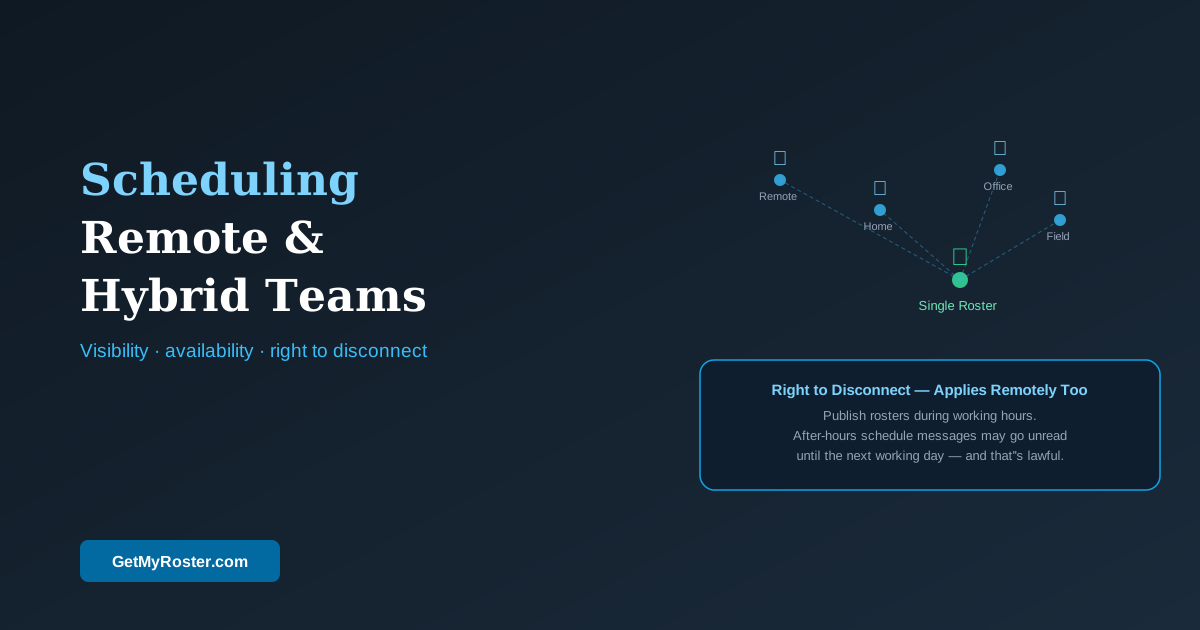
Hybrid and remote team scheduling has three unique challenges: visibility (knowing where each person is working from and when, without physical presence cues), time zone and availability variation (team members may be in different states or working non-standard hours), and right-to-disconnect compliance (the expectation of immediate availability that persists in some organisations conflicts with legal obligations). The solution is a cloud-based scheduling platform that provides a single source of truth regardless of work location.
The shift to hybrid and remote work has changed scheduling in ways that many businesses haven't fully addressed. When some staff are in the office, some at home, and some in the field, traditional scheduling approaches — the whiteboard, the group chat, the emailed spreadsheet — break down entirely. This guide covers how to build a scheduling approach that works for distributed teams.
Establishing a Single Source of Truth
The foundational problem of hybrid scheduling is that information about who is working, when, and from where is scattered across multiple channels. One employee has their schedule in the email the manager sent. Another has it in the WhatsApp group. A third checks the whiteboard on the days they come in. None of these are reliable when half the team isn't physically present to see the whiteboard or hear the corridor conversation.
A cloud-based scheduling platform eliminates this fragmentation. The roster is published once, accessed from any device by anyone with the right permissions, and updated in real time. Remote employees see schedule changes as soon as they're made; managers can see everyone's status regardless of location. This single change resolves the majority of scheduling confusion in hybrid teams.
Availability Management for Distributed Teams
Remote and hybrid team members often have more variable availability than office-based staff — different start times, non-standard working patterns, or part-time arrangements. Collecting this availability manually (messages, emails, verbal updates) is error-prone at the best of times, and the lack of physical proximity removes the informal cues that help managers stay current on team availability. Self-service availability management — where team members submit their available times through an app — scales to any distribution and any level of variability. For the small business foundation of this approach, see our guide on scheduling automation.
Right-to-Disconnect in a Remote Context
Remote work creates a specific risk for right-to-disconnect compliance: the boundary between work and non-work time is less visible when someone is working from home, and the temptation to send a "quick message" after hours is higher when you can't see the person has left for the day. Fair Work Act provisions apply equally to all employees regardless of location. Roster notifications sent outside working hours, shift change requests messaged at 9pm, and "urgent" coverage requests on days off are all within the scope of the right-to-disconnect provisions.
Time Tracking for Remote Employees
Time tracking for remote employees needs to work without GPS (which is appropriate for field staff but not for home-based workers). A simple digital time record — app-based clock-in and clock-out with timestamps — provides the Fair Work-compliant record of hours worked that the Act requires, without the invasion of privacy that continuous location monitoring would represent. For field-based roles where GPS is appropriate, our GPS time tracking guide covers the full range of options.
Frequently Asked Questions
What is the biggest scheduling challenge for hybrid teams?
Visibility — knowing who is available when and where without physical presence cues. Hybrid scheduling works when there is a single source of truth for the schedule, accessible from any device, updated in real time, and visible to both managers and team members regardless of work location.
How do I track hours for remote employees in Australia?
Digital time tracking — app-based clock-in and clock-out with timestamps — provides a Fair Work-compliant record of hours worked for remote employees. GPS tracking is optional and appropriate only for field-based roles where location verification is operationally relevant. Timestamped digital records are sufficient for compliance and significantly more defensible than paper timesheets.
Does the right-to-disconnect apply to remote employees?
Yes. Fair Work Act right-to-disconnect provisions apply to all employees regardless of work location. Remote employees scheduled to finish at 5pm have the same right to decline out-of-hours contact as office-based staff. Publish schedules and communicate changes during working hours, and document the expectation that out-of-hours messages will be addressed the next working day.
What tools work best for scheduling hybrid and remote teams?
A cloud-based scheduling platform accessible from any device, with a self-service availability portal, a team communication tool with dedicated work channels separate from personal messaging apps, and digital time tracking that does not require GPS for home-based employees. The combination of these tools provides the visibility and record-keeping that hybrid teams require.
Schedule Your Hybrid Team from Anywhere
GetMyRoster works from any device, gives every team member real-time schedule access regardless of location, and keeps your time records Fair Work-compliant whether your team is in-office, remote, or on the road.
Start Free Trial