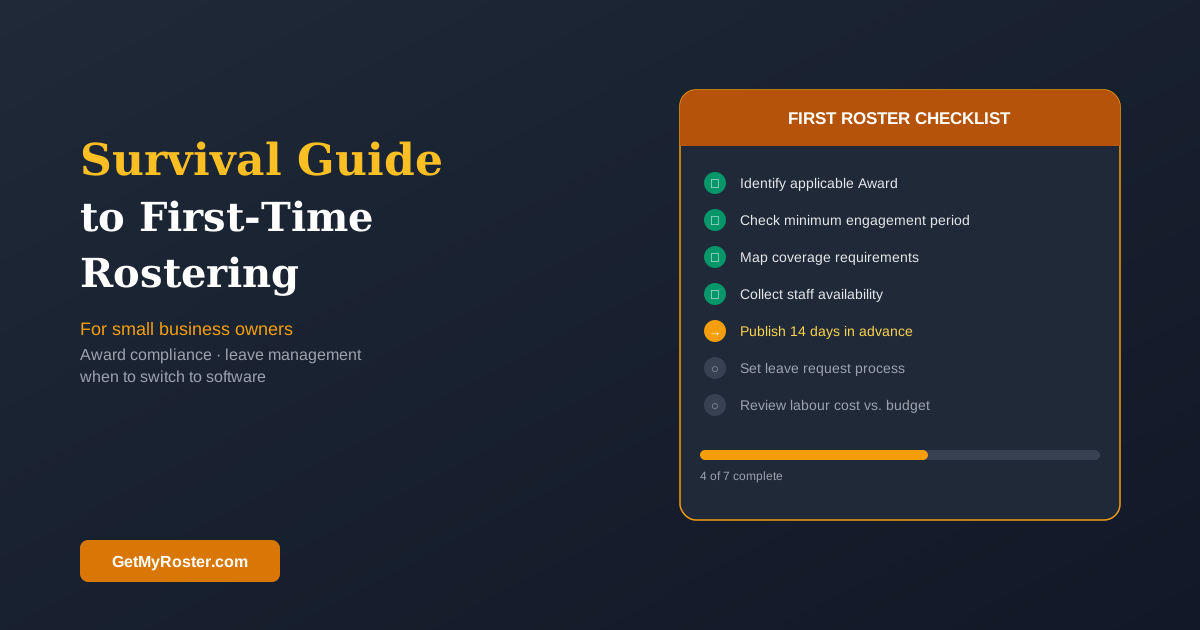
What Does a First Roster Actually Need to Include?
A functional first roster needs: employee names, shift dates and days, start and finish times, the role or area being covered, and total hours per employee. That's the minimum. The most common mistakes first-time rosterers make are publishing too late (less than one week notice), not knowing the minimum shift length required by the applicable Award, and treating the roster as a draft rather than a published document that people plan their lives around.
The first roster you build is also the one most likely to go wrong. Not because rostering is technically difficult, but because there are a handful of decisions you didn't know you needed to make before you made them — and you find out by getting a call at 6am from a confused staff member. This guide is designed to help you avoid those calls.
Before You Build: Three Questions to Answer First
Before opening a spreadsheet or scheduling app, answer these three questions:
- Which Award or Enterprise Agreement covers your employees? This determines minimum shift lengths, break requirements, and penalty rates. Use the Fair Work Ombudsman's Pay and Conditions Tool if you're unsure. Getting this wrong isn't a spreadsheet problem — it's a compliance problem.
- What are your actual coverage requirements by day and time? When do you need staff, for how long, and how many? Map this before you start building shifts around what people want to work.
- How will you collect and manage availability? You need a method before the first roster is due — not scrambled together while you're trying to build it.
For a comprehensive introduction to everything that goes into modern rostering, our Staff Rostering 101 guide covers each step in detail.
The Most Common First-Time Rostering Mistakes
Publishing too late is the single most common mistake. Less than a week's notice forces staff to make last-minute arrangements, increases no-shows, and creates a reactive management culture from the start. Aim for 14 days. The second most common mistake is building the roster around availability rather than business need — if you only schedule people who say they're available, you're letting your staff write the roster for you. The third is not setting a minimum hours expectation before anyone is hired.
Setting Up a Simple Availability and Leave Request Process
Before you need to manage a time-off conflict, decide how you'll handle one. A simple process: staff submit leave requests at least 2 weeks in advance in writing (or via a designated channel), requests are approved or declined within 48 hours, and in the event of clashing requests, a stated priority rule applies (typically first-in, first-served, with exceptions for family emergencies). Announce this process before you need to enforce it.
When to Move to Scheduling Software
A spreadsheet works fine for a team of 3–4 people. Once you have 5 or more, the coordination overhead — availability changes, shift swaps, late notifications, payroll transcription — starts consuming meaningful management time. Most SMBs find that the crossover point where scheduling software saves more than it costs is around 6–8 employees. For the full financial case, see our guide on the hidden savings of digital rostering.
Frequently Asked Questions
What should a first-time roster include?
A first-time roster needs: employee names, shift dates and days, start and finish times, the role or area being covered, and total rostered hours per employee. Add a running labour cost total once you're comfortable with the basic structure. Complexity can come later — getting these basics right is the priority.
How far in advance should I publish a roster?
Best practice is 14 days. Some Modern Awards specify minimum notice periods — check the Award covering your employees. At minimum, aim for one week. Publishing 24–48 hours before shifts start is too late for staff with other commitments and is a leading cause of no-shows.
Do I need to know the Award to build a roster?
You need to know which Award covers your employees and its key provisions: minimum engagement periods, maximum hours, break requirements, and when penalty rates apply. Use the Fair Work Ombudsman's Pay and Conditions Tool to identify the Award. Scheduling software with Award interpretation flags compliance issues as you build, which is a significant advantage for first-time rosterers.
How do I handle time-off requests as a first-time roster manager?
Set up a leave request process before you need it: a written request method, a minimum lead time (2 weeks for non-urgent leave), a response timeline (48 hours), and a stated rule for resolving clashing requests. Announcing these rules before you need to enforce them prevents difficult conversations later.
Build Your First Roster Right, From Day One
GetMyRoster guides first-time managers through setup, handles availability collection automatically, and flags Award compliance issues before you publish — so you can focus on running your business.
Start Free Trial