Restaurant Labor Cost Control: Complete Guide to Managing Wages


Posted on May 03, 2026

Master restaurant labor cost control with 7 proven strategies. Learn to reduce overtime, optimize schedules, and maintain service quality

Labor costs can make or break a restaurant's profitability. Learn seven proven strategies to control wage expenses, eliminate overtime waste, and maintain excellent service—all while keeping your best staff happy.

🎯 Quick Answer

Restaurant labor costs typically represent 25-35% of total revenue. To control them effectively: (1) Schedule based on actual demand patterns, not guesswork, (2) Set overtime limits and monitor in real-time, (3) Use mobile time clocks to eliminate buddy punching, (4) Cross-train staff for scheduling flexibility, (5) Implement employee availability tracking to reduce no-shows. Modern rostering software like GetMyRoster automates these controls with overtime alerts, conflict detection, and GPS-verified time tracking—all for $1 per employee per month, helping restaurants maintain the industry-standard 28-32% labor cost ratio.

Imagine two identical restaurants, both generating $600,000 in annual revenue. One maintains a 28% labor cost percentage. The other runs at 32%. That 4-percentage-point difference equals $24,000 per year—money that could fund a kitchen upgrade, a marketing campaign, or simply boost your bottom line.

For restaurant owners and managers, labor cost control isn't about squeezing employees or sacrificing service quality. It's about intelligent scheduling, eliminating waste, and leveraging technology to work smarter. With rising minimum wages, thin profit margins, and unpredictable customer demand, mastering labor cost management has never been more critical.

This guide reveals seven proven strategies to reduce restaurant labor costs while maintaining—or even improving—service standards. You'll learn specific, actionable tactics used by successful restaurants to optimize staffing, prevent overtime waste, and maximize every dollar spent on wages.

Understanding Your Restaurant's Labor Cost Percentage

Before you can control labor costs, you need to understand where you stand. Labor cost percentage is calculated by dividing total labor expenses by total revenue, then multiplying by 100:

Labor Cost Percentage = (Total Labor Costs ÷ Total Revenue) × 100

Total labor costs include all wages, payroll taxes, benefits, workers' compensation insurance, and any other employee-related expenses. For a restaurant generating $50,000 in monthly revenue with $15,000 in labor costs, the labor cost percentage is 30%.

Restaurant Type Typical Labor Cost % Key Factors
Quick-Service (QSR) 25-30% Limited table service, higher volume, simpler menu
Fast Casual 28-32% Counter service, moderate customization
Casual Dining 30-35% Full table service, moderate menu complexity
Fine Dining 35-40% High service ratios, specialized skills, complex preparation

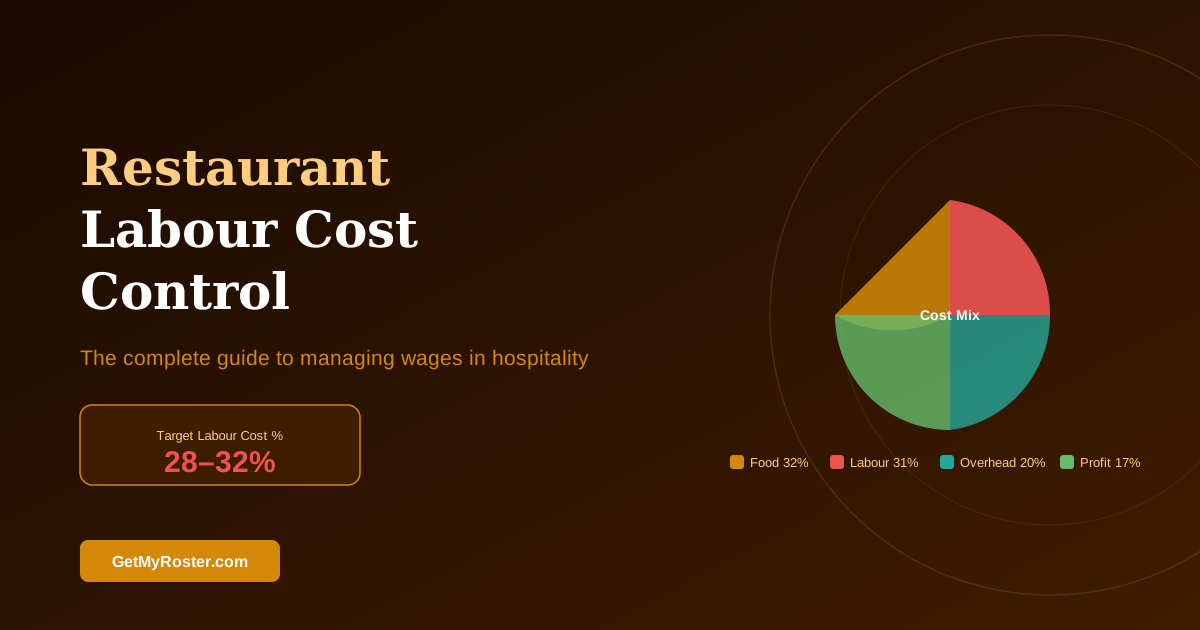
Industry standards vary, but most successful restaurants maintain labor costs between 28-32%. If your percentage consistently exceeds 35%, you're likely leaving significant money on the table. Modern rostering systems help track these metrics automatically, giving you real-time visibility into where every labor dollar goes.

Strategy 1: Schedule Based on Actual Demand, Not Intuition

The Problem: Many restaurants schedule the same staff every Tuesday simply because "that's what we've always done." Meanwhile, customer traffic patterns shift with weather, local events, paydays, and seasonal trends.

Smart restaurants analyze historical data to identify actual demand patterns. Pull reports from your POS system showing hourly sales for each day of the week. You'll often discover surprising insights—perhaps Monday lunches are busier than Thursday lunches, or Saturday nights peak at 7:30 PM instead of 8:00 PM.

Action Steps:

  • Analyze POS data: Review three months of sales data broken down by day and hour
  • Identify peak periods: Mark periods when sales per labor hour exceed $85-100
  • Schedule strategically: Align your strongest servers with peak times, newer staff with slower periods
  • Use staggered start times: Instead of all servers starting at 5:00 PM, stagger arrivals from 4:30-6:00 PM to match the dinner rush curve
  • Plan for local events: Note sporting events, concerts, conventions that impact traffic patterns

When creating schedules in GetMyRoster, you can reference historical demand patterns alongside your staff roster. The drag-and-drop interface lets you quickly adjust staffing levels for each shift, matching your team size to actual expected volume rather than guesswork. This approach typically reduces labor costs by 3-5 percentage points without any reduction in service quality.

💡 Pro Tip: Create separate scheduling templates for "typical" weeks and "event" weeks. When a concert or sporting event is scheduled nearby, switch to your event template which includes additional staff during pre-event and post-event periods.

Strategy 2: Set Overtime Limits and Monitor in Real-Time

Overtime is the silent profit killer in restaurants. An employee earning $15/hour costs $22.50/hour at time-and-a-half, and $30/hour at double-time rates. Just five employees working 10 hours of overtime per week costs an extra $5,850 annually.

The Math:

Scenario Regular Hours Cost Overtime Hours Cost Extra Cost
1 employee, 5 OT hours/week $75 $112.50 $37.50/week ($1,950/year)
5 employees, 5 OT hours/week each $375 $562.50 $187.50/week ($9,750/year)
5 employees, 10 OT hours/week each $750 $1,125 $375/week ($19,500/year)

Most overtime is preventable with proper planning. The key is catching potential overtime before it happens, not discovering it when reviewing last week's timesheets.

Overtime Control Strategies:

  • Set weekly hour limits: Establish maximum hours per employee (typically 38-40 hours)
  • Require pre-approval: Make all overtime subject to manager approval before it occurs
  • Use real-time tracking: Monitor hours daily, not weekly
  • Create an on-call list: Have part-time staff available to cover shifts before resorting to overtime
  • Cross-train for coverage: Ensure you can fill positions without forcing overtime on specific employees

GetMyRoster's overtime alert system automatically flags when any employee approaches their weekly hour limit. When scheduling shifts, the system warns you if a roster will put someone into overtime, letting you adjust before publishing. This proactive approach has helped restaurants reduce overtime costs by 40-60% within the first month of implementation.

💡 Pro Tip: Review your highest overtime earners monthly. Often, you'll find the same 2-3 employees consistently working extra hours. Redistribute their shifts to spread workload more evenly or hire an additional part-time employee to cover the gap.

Strategy 3: Eliminate Time Theft with GPS-Verified Time Clocks

Time theft costs restaurants an estimated 2-8% of gross payroll—not from malicious employees, but from small daily leaks: clocking in 10 minutes early, extending breaks by 5 minutes, having a coworker punch in when running late.

The Numbers: An employee who clocks in just 7 minutes early each shift and extends breaks by 5 minutes adds approximately 1 hour of unworked paid time per week. For a restaurant with 15 employees earning an average of $16/hour, this totals $12,480 annually.

Traditional time cards and manual punch systems make time theft easy. Modern mobile time clock solutions with GPS verification eliminate these issues entirely.

How GPS Time Clocks Work:

  • Location verification: Employees can only clock in when physically at your restaurant location
  • Photo capture: Optional photo verification prevents buddy punching (one employee clocking in for another)
  • Automatic rounding: System rounds to nearest 5 or 15 minutes based on your policy
  • Real-time notifications: Managers receive alerts for early clock-ins or missed clock-outs
  • Audit trail: GPS coordinates and timestamps create a complete record

When employees use GetMyRoster's mobile app to clock in and out, their GPS location is automatically verified against your restaurant's address. The system prevents early clock-ins beyond your grace period and flags unusual patterns like consistently late clock-outs. This transparency benefits everyone—employees know they're being paid accurately, and managers have peace of mind about payroll integrity.

Restaurants implementing GPS time clocks typically see immediate 3-5% payroll savings from eliminated time theft, plus additional savings from reduced payroll processing errors and disputes.

Strategy 4: Cross-Train Staff for Maximum Flexibility

Single-skilled employees create scheduling inflexibility that drives up costs. When your only experienced bartender calls in sick on Friday night, you face an impossible choice: scramble to find expensive last-minute coverage, pay overtime to another bartender, or operate short-staffed and disappoint customers.

Cross-training solves this problem while simultaneously increasing employee value and job satisfaction.

Benefits of Cross-Training:

  • Reduce overstaffing: One cross-trained employee can cover multiple positions during slow periods
  • Handle call-outs smoothly: Internal staff can cover absences without overtime or premium pay
  • Improve employee retention: Staff appreciate skill development and variety
  • Optimize labor costs: Deploy expensive talent only when actually needed
  • Maintain service quality: Never compromise service due to single-point-of-failure positions

✓ Essential Cross-Training Positions for Restaurants

  • ☐ Front-of-house staff trained in hosting, serving, and food running
  • ☐ Servers trained in basic bartending (non-craft cocktails)
  • ☐ Line cooks trained across all stations (grill, sauté, fry, garde manger)
  • ☐ Experienced servers trained to supervise/manage shifts
  • ☐ Kitchen staff trained in dishwashing and prep work
  • ☐ Hosts trained in bussing and food running

Implementation Plan: Start with your most reliable employees who show interest in learning new skills. Schedule cross-training during slow periods when the training won't impact service. Document each employee's certified positions and update their profiles in your scheduling system.

In GetMyRoster, you can tag each employee with their qualified positions and skill levels. When creating schedules, you'll see exactly who can fill each role, making it easy to optimize coverage without overstaffing. The system can also track certification dates for skills requiring periodic renewal (like bartending licenses or food safety certificates).

Strategy 5: Track Employee Availability to Reduce No-Shows

Few things disrupt a restaurant shift more than an employee who "didn't know" they were scheduled or genuinely couldn't work due to a conflict you weren't aware of. These no-shows force you to operate short-staffed or pay premium wages for last-minute coverage.

The solution is systematic availability tracking before you create schedules.

Why Availability Management Matters:

  • Students have class schedules that change each semester
  • Parents need specific days or hours for childcare
  • Employees with second jobs have changing availability
  • Medical appointments, family commitments, and personal obligations arise
  • Advance notice lets you plan around conflicts instead of reacting to them

Best Practices for Availability Management:

  • Set update deadlines: Require availability updates by Thursday for the following week's schedule
  • Make it mobile-friendly: Let employees update availability from their phones in 30 seconds
  • Send reminders: Automated SMS or push notifications prompt regular updates
  • Respect stated availability: Consistently scheduling someone outside their availability drives turnover
  • Plan for common patterns: Note recurring commitments (every Tuesday night, first weekend of each month)

GetMyRoster's employee self-service portal lets your team update their availability through the mobile app. The system sends automatic reminders when availability hasn't been updated recently and flags scheduling conflicts before you publish the roster. Managers report up to 80% reduction in schedule-related conflicts after implementing systematic availability tracking.

Strategy 6: Use Labor Cost Budgets and Weekly Targets

Most restaurants track labor costs only after the fact—reviewing last week's or last month's percentages when it's too late to make adjustments. Top-performing restaurants set proactive labor budgets and monitor against targets throughout each week.

How to Set Your Labor Budget:

  1. Calculate your target labor cost percentage (typically 28-32% for most restaurants)
  2. Project weekly revenue based on historical data and known events
  3. Multiply revenue by your target percentage to get your labor budget in dollars
  4. Schedule shifts to stay within budget while maintaining service standards
  5. Monitor actual vs. budget daily and adjust mid-week if needed
💡 How to Calculate Your Daily Labor Budget:
Expected Weekly Revenue: $25,000
Target Labor %: 30%
Weekly Labor Budget: $7,500
If Monday typically represents 12% of weekly sales, allocate $900 to Monday labor (12% of $7,500).
Schedule Monday shifts totaling 56 hours at $16/hour average = $896 (within budget).

Mid-Week Adjustment Strategies:

  • If running over budget by Wednesday, reduce Thursday-Sunday staffing slightly
  • If unexpectedly slow, offer early cuts to hourly staff willing to leave
  • If busier than projected, add shifts from your on-call list before overtime becomes necessary
  • Track actual sales per labor hour to identify over and under-staffed periods

Modern rostering software can calculate labor costs in real-time as you build schedules. GetMyRoster shows your projected labor cost percentage while you're assigning shifts, letting you optimize the roster before publishing rather than discovering budget issues after the week has already happened.

Strategy 7: Streamline Payroll Integration to Catch Errors Early

Manual payroll processing creates countless opportunities for errors—missed clock punches, incorrect pay rates, forgotten overtime premiums, miscalculated penalty rates. Each error costs money either through overpayment or through time spent making corrections.

According to the American Payroll Association, errors in manual payroll processing cost businesses 1-8% of gross payroll annually. For a restaurant with $300,000 in annual labor costs, that's $3,000-24,000 wasted on preventable mistakes.

Common Payroll Errors in Restaurants:

  • Manual entry mistakes when transferring timesheet data to payroll systems
  • Incorrect overtime calculations (especially double-time on holidays)
  • Missed penalty rates for late-night or Sunday shifts (Australian restaurants)
  • Paying employees for time they didn't work due to time theft
  • Using outdated pay rates after raises or award changes
  • Incorrect tax withholdings due to outdated employee information

Automated payroll integration eliminates these issues by connecting your time tracking directly to your payroll system. Clock-in and clock-out times flow automatically to Xero, MYOB, QuickBooks, or your payroll provider without manual data entry.

Benefits of Automated Payroll Integration:

  • Zero manual entry: Timesheets export directly with no typing or copying
  • Automatic calculations: System applies correct pay rates, overtime, and penalty rates
  • Immediate error detection: Flags missing clock-outs or unusual hours before processing payroll
  • Audit trail: Complete record of who worked when with GPS verification
  • Time savings: Reduce payroll processing time from hours to minutes

GetMyRoster integrates directly with Xero, MYOB, and QuickBooks, automatically exporting timesheet data in the exact format your payroll system expects. Managers report saving 4-6 hours per pay period on payroll processing while simultaneously eliminating costly errors. The integration pays for itself immediately through time savings alone—error prevention is pure bonus.

Start Controlling Your Labor Costs Today

See how GetMyRoster's automated scheduling, overtime alerts, and GPS time tracking can reduce your restaurant's labor costs by 10-15% while improving service quality.

Start Free Trial →

✅ FREE forever (up to 5 users) | ✅ Premium $1/user/month | ✅ No credit card required

Frequently Asked Questions

What is a good labor cost percentage for restaurants?

A good labor cost percentage for restaurants is typically 25-35% of total revenue, with 28-32% being the industry standard. Quick-service restaurants (QSR) usually operate at 25-30%, while full-service restaurants may run 30-35%. Fine dining establishments can reach 35-40% due to higher service standards requiring more staff. Your target percentage depends on your restaurant concept, service model, menu complexity, and local wage rates.

How do you calculate restaurant labor costs?

Calculate restaurant labor costs by dividing total labor expenses by total revenue, then multiplying by 100. The formula is: (Total Labor Costs ÷ Total Revenue) × 100 = Labor Cost Percentage. Total labor costs include wages, payroll taxes, benefits, and workers' compensation insurance. For example, if your restaurant generates $50,000 monthly revenue with $15,000 in labor expenses, your labor cost percentage is 30%.

What causes high labor costs in restaurants?

High restaurant labor costs are caused by overstaffing during slow periods, excessive overtime, time theft from buddy punching or extended breaks, scheduling conflicts leading to last-minute premium pay, high turnover requiring constant training, and inefficient scheduling that doesn't match actual demand patterns. Many restaurants also suffer from lack of cross-training, making them dependent on specific employees for key positions, which leads to premium pay for coverage.

How can restaurants reduce labor costs without cutting staff?

Restaurants can reduce labor costs without cutting staff by optimizing schedules to match demand, eliminating time theft with GPS time clocks, cross-training employees for flexibility, tracking availability to reduce no-shows, setting overtime limits with real-time monitoring, and using technology to automate scheduling and payroll integration. These strategies typically reduce labor costs by 10-15% without any reduction in service quality or employee count.

What is the difference between labor cost percentage and labor productivity?

Labor cost percentage measures labor costs as a portion of total revenue (example: 30% means $30 in labor costs per $100 revenue). Labor productivity measures revenue generated per labor hour or per employee (example: $85 revenue per labor hour). Both metrics work together—you want low labor cost percentage with high productivity. A restaurant can have great labor cost percentage but poor productivity if revenue is also low, or high productivity but poor labor cost percentage if wages are too high relative to sales.

How often should restaurants review labor costs?

Restaurants should review labor costs weekly at minimum to catch issues early and make mid-week adjustments. Daily reviews are ideal for high-volume operations where small changes compound quickly. Monthly reviews provide trend analysis for staffing decisions and seasonal planning. Modern roster software provides real-time labor cost tracking, allowing managers to monitor throughout each shift and adjust staffing immediately when sales don't match projections.

What role does technology play in controlling restaurant labor costs?

Technology controls restaurant labor costs through automated scheduling that matches staffing to demand, real-time overtime alerts before costs spiral, GPS-verified time clocks that eliminate buddy punching, mobile apps for shift swaps reducing manager time, payroll integration preventing costly errors, and analytics showing exactly where labor dollars go. Restaurants using modern rostering technology typically reduce labor costs by 10-15% in the first three months while simultaneously reducing manager time spent on scheduling by 70%.

Conclusion: Take Control of Labor Costs Today

Restaurant labor cost control isn't about cutting corners or compromising service quality—it's about intelligent management that benefits everyone.

The seven strategies in this guide—demand-based scheduling, overtime control, GPS time clocks, cross-training, availability management, budget targets, and payroll integration—work together to eliminate waste while maintaining excellent customer service and employee satisfaction.

Most restaurants implementing these strategies see 10-15% reduction in labor costs within 90 days. For a restaurant with $500,000 in annual revenue and 32% labor costs, reducing that to 28% represents $20,000 in annual savings—money that flows directly to your bottom line.

The best part? Modern rostering technology makes all seven strategies simple to implement. What once required spreadsheets, manual calculations, and constant vigilance now happens automatically with the right tools.

Your next step: Choose one strategy from this guide to implement this week. Track your results for 30 days, then add another strategy. Within three months, you'll have complete control over your labor costs—and you'll wonder why you didn't start sooner.

Join 1,000+ Restaurants Saving with GetMyRoster

Put all seven labor cost control strategies to work immediately with GetMyRoster's drag-and-drop scheduling, overtime alerts, GPS time tracking, and seamless payroll integration. Start free, upgrade when you're ready.

Start Your Free Trial →

✅ FREE forever (up to 5 users) | ✅ Premium just $1/user/month | ✅ Setup in 15 minutes

restaurant labor costs labor cost control restaurant scheduling overtime management restaurant management wage control

...

What are you waiting for?

Get started with the Get My Roster platform now.

Sign up Contact us