What Is the Biggest Rostering Challenge for Multi-Location Businesses?
Visibility. When each location uses a separate spreadsheet, group management has no real-time view of total labour cost, coverage gaps, or compliance issues across the business. A decision made at one site — a 15% increase in staff hours — doesn't show up at the group level until payroll arrives. Multi-location rostering success starts with a centralised platform that gives both site managers and group management the view they need, without creating duplication or over-centralisation.
Growing from one location to two, three, or ten doesn't just multiply the rostering workload — it creates new coordination problems that a single-site approach can't handle. Cross-site staff sharing, group-level labour cost visibility, consistent compliance standards, and delegated management authority all need to be designed into the rostering approach as the business scales. This guide covers how.
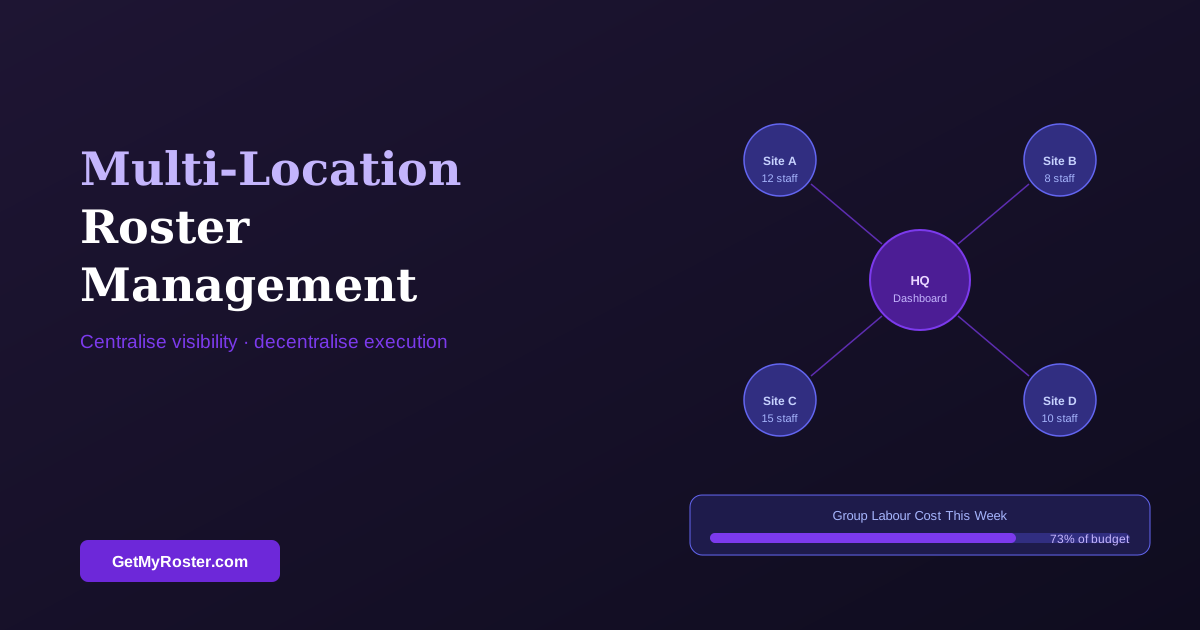
Centralise Visibility, Decentralise Execution
The most effective model for multi-location rostering separates visibility (which should be centralised) from execution (which should be delegated to site managers). Site managers need full control to build and publish rosters for their location. Group management needs a single dashboard view across all sites — total hours, projected labour cost, coverage status — without having to chase individual managers for updates.
This model only works with a cloud-based scheduling platform that supports location-based access controls. A site manager in Site B should not be able to see or edit Site A's roster — but the Operations Director should be able to see both. Spreadsheets emailed upwards for consolidation are the most common failure mode in multi-site rostering: they are always slightly out of date and always someone's full-time job to manage.
Cross-Site Staff Sharing
One of the most underutilised cost-management tools in multi-location businesses is a pool of cross-trained staff who can work across sites. Rather than holding separate casual pools at each location — most of which are underutilised — a consolidated flexible pool, available to be rostered at any site, provides better coverage with fewer total staff. This requires consent from the employees involved and compliance with any travel allowance provisions in the applicable Award. For best practice on managing the casual side of this workforce, see our casual and part-time scheduling guide.
Consistent Compliance Across Sites
Compliance risk multiplies with the number of sites. A small underpayment error that goes unnoticed at one site can become a systemic underpayment across ten sites — with significant back-pay liability and regulatory exposure. Build compliance standards into the group-level template: minimum rest periods, maximum shift lengths, correct Award rates, break requirements. Give site managers a roster that is pre-configured to these parameters, so they can't inadvertently breach them without the system flagging the issue.
Technology Requirements for Multi-Location Rostering
The minimum technology requirements for effective multi-location rostering: a cloud-based platform with location-based access controls, a group overview dashboard, cross-site availability management for flexible staff, and a single payroll integration that handles all sites. GPS time tracking becomes increasingly valuable with multiple sites — verifying that staff are clocking in at the correct location prevents the timesheet fraud that is disproportionately common in multi-location businesses with manual records. For how to use data to improve decisions at both site and group level, see our 7 data-driven steps guide.
Frequently Asked Questions
What are the main challenges of multi-location rostering?
Visibility (seeing labour cost and coverage across all sites simultaneously), cross-site staff sharing (getting the right staff at the right location without doubling admin), consistency (applying compliance and service standards equally), and management delegation (giving site managers appropriate control while keeping group-level oversight).
Can staff be shared across locations?
Yes, subject to employee consent and any contract or Award constraints. Some Awards require travel time or allowance when employees work at multiple locations. In practice, a cross-trained flexible pool available at any site is a major cost-management lever — more efficient than holding separate casual pools at each location.
How do I maintain consistent standards when site managers build their own rosters?
Set non-negotiable parameters at the group level: minimum skill mix, maximum LCP%, compliance requirements. Give site managers full autonomy within those parameters. Use a centralised platform with a group overview dashboard so senior management sees all-site data without chasing individual managers for spreadsheet updates.
What technology do multi-location businesses need for rostering?
A cloud-based scheduling platform with location-based access controls, a group overview dashboard, cross-site availability management for flexible staff, and a single payroll integration covering all sites. GPS time tracking is valuable for verifying staff are clocking in at the correct location. Spreadsheets manually consolidated at the group level are the most common source of payroll errors in multi-site businesses.
One Platform. Every Location. Complete Visibility.
GetMyRoster gives site managers the tools to build their own rosters and gives group management the dashboard to see every location's coverage, cost, and compliance status in real time.
Start Free Trial